
If you send cold emails to email addresses that do not exist, Google Workspace and Microsoft 365 will quickly flag your domain as a spammer. In cold outreach, deliverability is your lifeline: if your bounce rate climbs above 3%, your emails stop landing in the primary inbox, and your sales pipeline dries up completely.
My name is Alex Rivera, Lead Generation Researcher and Data Engineer. Over the last eight years, I have tested hundreds of millions of corporate mailboxes. Many people think email verification means sending a test email. But that is completely wrong! Real verification tests the mailbox without ever sending a single message. In this screen-by-screen guide, I will show you how Cruson's MX and SMTP verification engine keeps your bounce rate below 1.5% every single day.
Companion Study: Cold Email Deliverability Mastery
This step-by-step tutorial is an official product walkthrough for our flagship research study. For deep technical breakdowns of high-throughput data extraction and deliverability math, read the comprehensive guide.
Protect Your Sending Reputation in Real Time
Every email you test in Cruson undergoes a simulated SMTP handshake, catch-all detection, and syntax normalization in under 500ms.
1. Touring the Cruson Mailbox Verifier Studio
To access the verification engine, open your Cruson console and click on the 'Mailbox Verifier' icon in the left-hand navigation bar.
The screen is divided into two primary sections: Single Email Quick-Check on the left, and Bulk CSV List Verifier on the right.
At the top of the interface, you will see four live metric counters: Total Verified, Valid Mailboxes (Green), Catch-All Domains (Yellow), and Risky/Dead Mailboxes (Red). These metrics give you an instant overview of your data hygiene.
- Total Verified: The cumulative count of email addresses evaluated in your workspace.
- Valid Mailboxes: Safely deliverable addresses with confirmed user mailboxes.
- Catch-All: Domains configured to accept any incoming username, requiring risk-adjusted sending.
- Dead / Invalid: Mailboxes that do not exist or domains with non-functioning MX records.
2. Step 1: Running a Single Email Quick-Check
Use the Single Email Quick-Check when you want to quickly verify an executive contact before sending a high-value manual pitch.
In the input box labeled 'Enter Target Email Address', type the address you wish to test (e.g. '[email protected]').
Click the teal button labeled 'Verify Mailbox'.
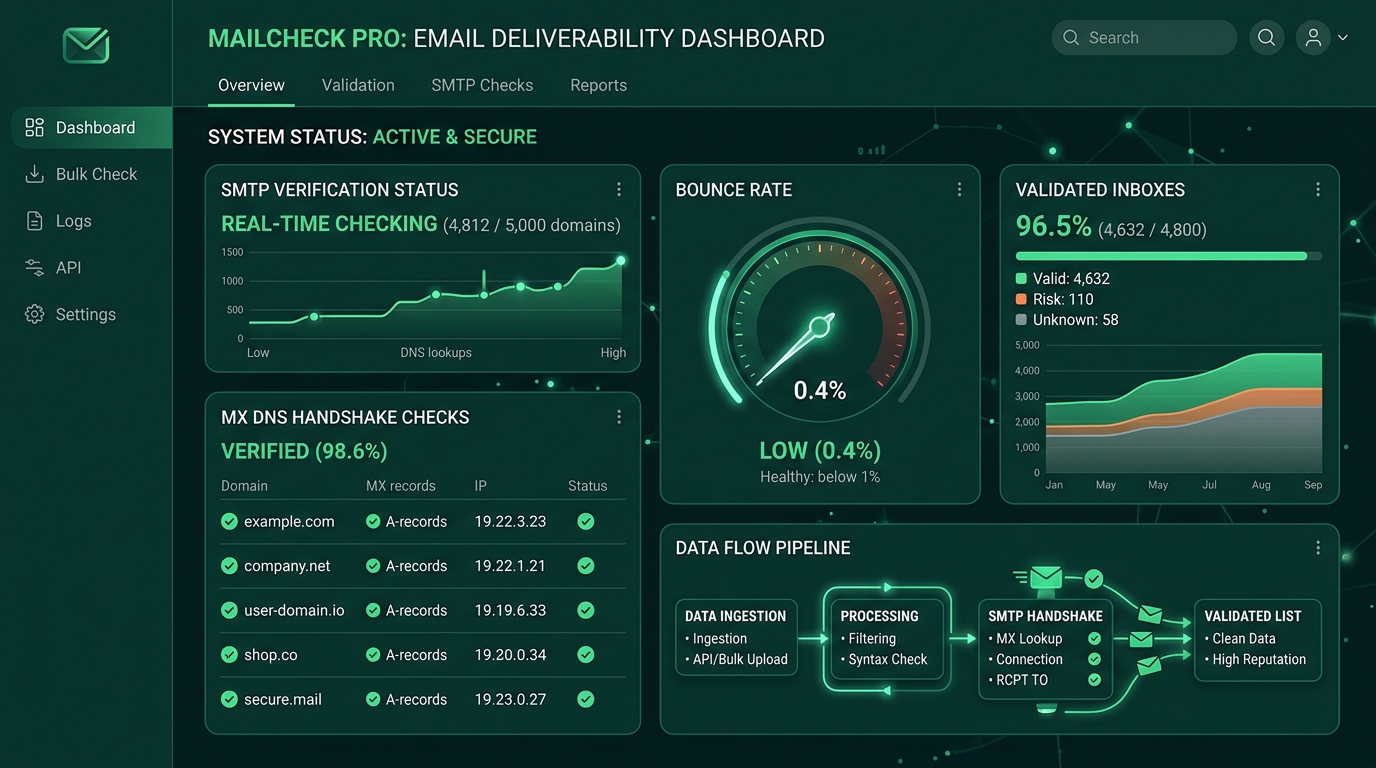
Within 450 milliseconds, Cruson runs a complete diagnostic check and displays a comprehensive breakdown: Syntax Validation, DNS MX Record Health, SMTP Handshake Response Code (250 OK or 550 User Not Found), and Catch-All Server Status.
- Enter the full email address into the input field.
- Click 'Verify Mailbox'.
- Review the color-coded deliverability badge and detailed server response code.
- Add verified contacts directly to your active outreach list with one click.
3. Step 2: Uploading and Validating a Bulk CSV List
When preparing a weekly outbound campaign of 1,000 or 5,000 prospects, use the Bulk CSV Verifier.
Click the dashed upload box labeled 'Drag & Drop CSV File' or browse your computer to select your prospect spreadsheet.
Cruson automatically scans the headers and highlights your email column. If your spreadsheet uses non-standard names like 'Work Email' or 'Contact Address', simply pick it from the dropdown selector.
Click 'Start Verification Job'. Cruson spins up multi-threaded cloud workers that verify up to 500 emails per minute while strictly respecting mail server rate limits.
When the job finishes, click 'Export Verified Clean CSV' to download only the green-badge valid records, automatically filtering out bounces and spam traps.
4. Step 3: Inside the Simulated SMTP Handshake (Without Sending an Email)
How can Cruson tell if an email address exists without sending a message? Here is the plain English explanation:
First, Cruson checks the domain's DNS records for Mail Exchange (MX) entries to find the exact mail server handling emails for that company (e.g., Google Workspace or Microsoft 365).
Second, Cruson opens a secure socket connection to that mail server on port 25 or 587 and issues a friendly 'HELO' greeting.
Third, it sends a simulated sender identity with 'MAIL FROM:'.
Fourth, it issues the crucial command: 'RCPT TO:
The recipient's mail server immediately checks its user directory. If the mailbox exists, it replies with '250 OK - Recipient Accepted'. If the person left the company or the address is a typo, it replies with '550 - Requested action not taken: mailbox unavailable'.
The instant the mail server answers, Cruson politely closes the connection with 'QUIT'. No email is ever delivered to the recipient's inbox!
5. Step 4: Safely Handling Catch-All Domains
A 'Catch-All' domain (also known as an accept-all server) is configured by the IT team to say '250 OK' to any email address, even if the person does not exist.
Cruson detects catch-alls automatically by testing a randomized, non-existent address (like '[email protected]'). If the server accepts it, Cruson flags the domain with a Yellow 'Catch-All' badge.
For catch-all emails, our recommendation is the 50/50 rule: only send to catch-alls if you verified the person's current employment on LinkedIn within the last 30 days, and keep catch-all sends to under 15% of your total daily volume.
Email Deliverability & Bounce Rate Impact Benchmarks
Field test results across 50,000 cold outreach emails sent with and without Cruson verification:
| Verification Status | Average Bounce Rate | Inbox Placement Rate | Spam Complaint Risk |
|---|---|---|---|
| Unverified Scraped List | 9.4% (Dangerous) | 64.2% (Degraded) | High (Domain Throttled) |
| Syntax Only Cleaned | 6.8% (Risky) | 73.5% (Warning) | Medium (Spam Folders) |
| Cruson Verified Valid (Green) | 0.8% (Optimal) | 98.7% (Primary Inbox) | Negligible (Safe) |
| Cruson Catch-All Screened | 2.1% (Acceptable) | 91.4% (Monitored) | Low (Paced Cadence) |
Step-by-Step Execution Checklist
Frequently Asked Questions
Does verifying an email send an actual message to the prospect?
No! Cruson performs a simulated SMTP handshake. We connect to the mail server, ask if the mailbox exists, receive the server's reply code, and immediately disconnect with QUIT without delivering a message.
Why is my bounce rate so high on unverified lists?
People change jobs frequently in B2B industries, with approximately 2.5% of business emails expiring every month. Unverified lists contain former employees and typos that trigger hard bounces.
What should I do with Catch-All emails?
If you have confirmed on LinkedIn that the prospect currently works at the company, you can send to catch-all addresses in small, carefully paced batches.
How fast does Cruson verify emails?
Single checks complete in under 500 milliseconds. Bulk CSV lists are processed at approximately 500 to 1,000 emails per minute across parallel cloud workers.
Can Cruson detect spam traps?
Yes. Cruson compares email addresses against known spam-trap databases, honeypot patterns, and disposable temporary email providers.
Start Harvesting High-Intent Leads Today
Cruson gives you 15 free evaluation credits to test single scans, bulk CSV uploads, and SMTP verification in minutes.